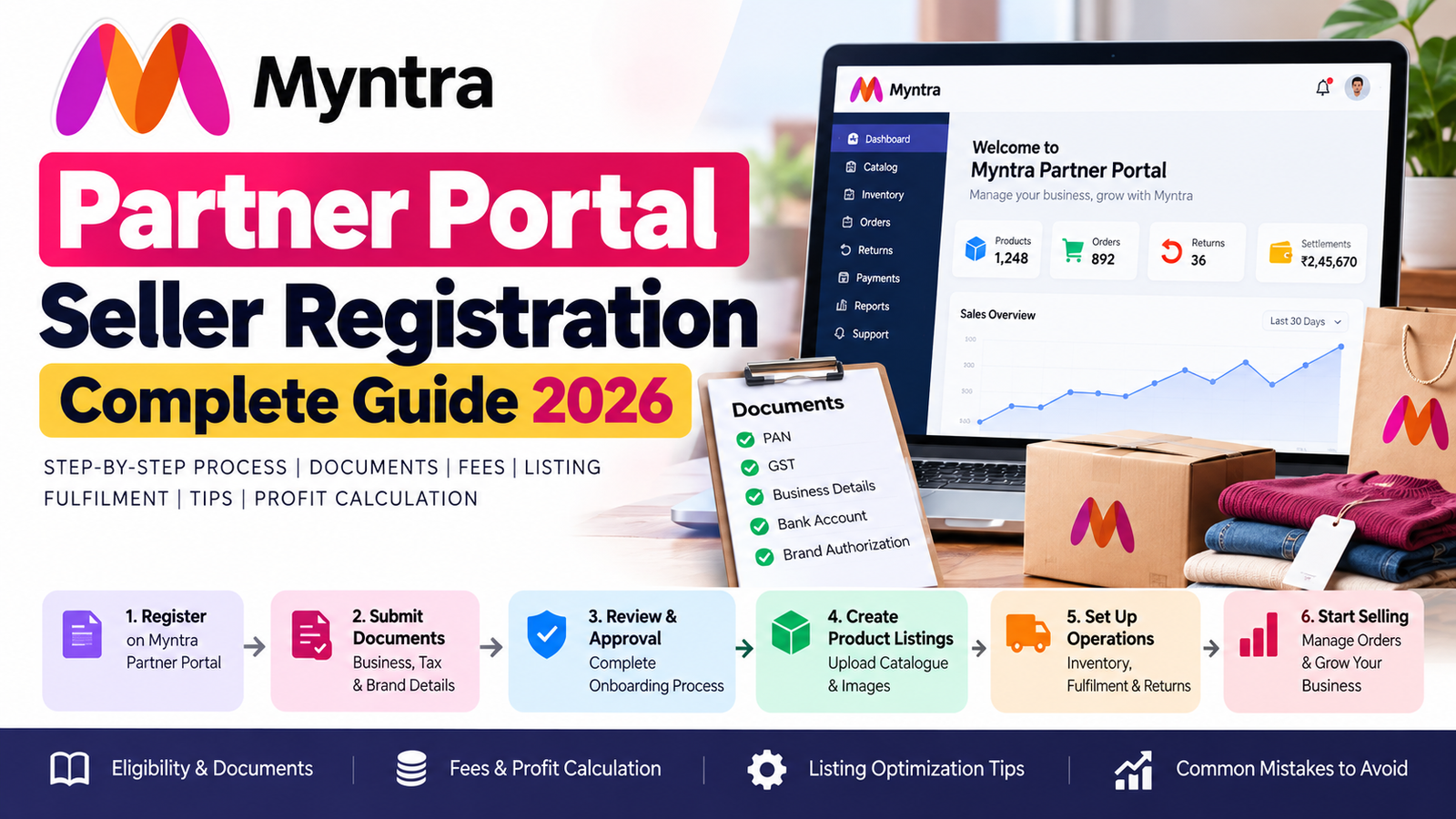
Want to sell your products on Myntra? Your starting point is the Myntra Partner Portal, where eligible brands and sellers can begin the onboarding process and manage marketplace operations after approval.
Quick answer: Visit the Myntra Partner Portal at partners.myntrainfo.com, submit the information requested during registration, complete the applicable verification and onboarding process, and then prepare your catalogue, inventory and fulfilment setup before your products can go live.
The important part is that Myntra seller registration is not simply an instant marketplace signup. Your business, brand, category, documentation and catalogue may all be relevant to the onboarding process.
This guide explains the process from application to go-live, including documents, eligibility, catalogue preparation, fulfilment, fees, profitability, common mistakes and what to do after approval.
Last reviewed: September 2026
Myntra Seller Registration: Quick Answer
If you want to become a Myntra seller, the basic journey is:
Prepare your business and brand information → register through the Partner Portal → complete Myntra’s onboarding/review process → set up your catalogue and inventory → complete applicable operational requirements → activate your products → start receiving orders.
Myntra’s partner ecosystem supports activities such as catalogue/listing management, inventory, orders, returns and reconciliation. Its official developer documentation specifically describes PPMP and Omni integrations and these operational capabilities.
Official Myntra Partner Portal
Myntra documentation and partner-support material reference this portal for seller/partner activities.
Be careful with old articles that still mention partners.myntra.com. The currently accessible partner portal is on the myntrainfo.com domain.
What Is the Myntra Partner Portal?
The Myntra Partner Portal is the online environment used by Myntra’s business partners for marketplace-related activities.
Depending on your account and integration, seller operations can include:
- Managing product listings
- Updating catalogue information
- Managing inventory
- Processing orders
- Tracking returns
- Reviewing operational information
- Handling reconciliation
- Accessing seller-support processes
- Managing other marketplace activities
Myntra’s official Marketplace Integration Platform documentation confirms that sellers can manage inventory, orders, returns and reconciliation through its partner ecosystem, while its listing APIs support creating and updating product listings and attributes.
So, the Partner Portal isn’t merely a registration page.
It becomes part of your operational workflow once you start selling.
Who Can Sell on Myntra?
Myntra is primarily a fashion and lifestyle marketplace, so the first question shouldn’t be:
“How do I register?”
It should be:
“Is my business and product range suitable for Myntra’s marketplace?”
Your onboarding can depend on factors such as:
- Your business structure
- Brand information
- Product category
- Product authenticity
- Brand ownership or authorization
- Tax/business documentation
- Catalogue quality
- Operational readiness
- Myntra’s current onboarding requirements
Historical Myntra registration guidance has described registration for business entities rather than individuals acting without a formal business structure.
However, don’t treat an old third-party eligibility list as a permanent universal rule. Marketplace requirements can change.
A simple way to think about eligibility
You are in a stronger position if you can clearly answer:
Who are you?
A legally identifiable business/brand.
What do you sell?
Products that fit Myntra’s current marketplace/category requirements.
Whose brand is it?
Your own brand or a brand for which you have appropriate authorization.
Can you fulfil orders?
You have the inventory, packaging and operational capability required for your chosen model.
Is your catalogue ready?
Your product information, images, attributes and pricing are prepared.
Myntra Seller Registration Documents
Prepare your documents before starting the application instead of collecting everything after submitting it.
Depending on your business and onboarding requirements, you may need information such as:
| Document / Information | Purpose |
|---|---|
| PAN | Business/tax identification |
| GST details | Tax/business verification |
| Business information | Entity identification |
| Bank account details | Seller settlements |
| Cancelled cheque/bank proof | Banking verification where requested |
| Brand information | Brand identification |
| Trademark information | Brand ownership where applicable |
| Brand authorization | If selling another brand |
| Product information | Catalogue creation |
| Product images | Product listing |
Historical Myntra registration guidance has listed GST, PAN and current-account information among the seller requirements, while current seller-support and partner systems provide additional operational requirements after onboarding.
Don’t make this mistake
Many articles publish a huge document checklist and label every item “mandatory for all sellers.”
That’s risky.
Your exact requirements can depend on:
- Business type
- Brand
- Category
- Seller arrangement
- Current onboarding flow
Therefore, use this section as a preparation checklist, not a guarantee that every applicant will be asked for every document.
Myntra Seller Readiness Checklist
Before you apply, score yourself against these 12 questions.
| Readiness check | Ready? |
|---|---|
| Business details are finalized | ☐ |
| PAN information is available | ☐ |
| GST information is available where applicable | ☐ |
| Bank details are verified | ☐ |
| Brand ownership/authorization is clear | ☐ |
| Product catalogue is prepared | ☐ |
| Product images are ready | ☐ |
| Size and product attributes are available | ☐ |
| Inventory information is organised | ☐ |
| Packaging/fulfilment process is ready | ☐ |
| Return economics have been considered | ☐ |
| Product-level profitability has been calculated | ☐ |
How to interpret the checklist
10–12 checked: You’re reasonably prepared to start the onboarding process.
7–9 checked: Prepare the missing items before investing heavily in catalogue or advertising.
Below 7: Build your operational foundation first.
This isn’t a Myntra approval score. It’s a practical seller-readiness test to help you avoid starting the application before your business is ready.
How to Register on the Myntra Partner Portal
Step 1: Open the Partner Portal
Start at:
partners.myntrainfo.com
Myntra partner documentation and third-party integrations reference this portal for seller access.
Avoid registration links sent through unknown agencies, social-media posts or random websites.
Step 2: Start the registration process
Enter the information requested by the current Myntra registration flow.
This can include information about:
- Your business
- Contact person
- Brand
- Product category
- Tax/business details
- Other onboarding information
Pro tip
Keep your information consistent.
If your legal business information says one thing while your GST, banking or brand documents say something else, resolve the mismatch rather than hoping it won’t be noticed.
Step 3: Submit the required information and documents
Upload the documents requested by Myntra.
Before submitting:
- Check that names are correct.
- Check document validity.
- Make sure scans are readable.
- Check that files aren’t cropped.
- Make sure brand authorization is current if applicable.
- Confirm that banking details are accurate.
Step 4: Wait for the onboarding/review process
This is where Myntra differs from an instant seller-registration marketplace.
Submitting an application does not automatically mean that your products are live.
Myntra may need to review the information and determine the next onboarding steps applicable to your business.
How long does Myntra seller registration take?
There is no single current universal timeline that should be promised to every seller.
Some third-party guides quote anywhere from days to several weeks, but current independent research also notes that Myntra does not publish one universal approval timeline that can reliably be applied to every seller.
So don’t build your business plan around:
“Myntra always approves sellers in 30 days.”
or:
“Myntra always approves sellers in 24 hours.”
The actual duration can depend on your application, category, documentation and onboarding requirements.
What Happens After Your Application Is Accepted?
Approval is only one stage.
The broader seller journey looks like:
Registration → Review/Onboarding → Commercial setup → Catalogue → Inventory → Operational setup → Product activation → Orders → Fulfilment → Returns → Settlement → Performance management
This distinction is important because many “Myntra seller registration” guides stop at the registration form.
Your actual business starts after registration.
Myntra Catalogue Setup: What Sellers Should Prepare
A marketplace listing is your digital salesperson.
If the product page doesn’t clearly communicate:
- What the product is
- What it looks like
- What size it is
- What material it uses
- How it fits
- How it should be used/cared for
the customer has to guess.
That creates friction.
Prepare these catalogue elements
Product title
Clearly identify the product without stuffing unrelated keywords.
Product images
Use high-quality images that accurately represent the actual product.
Product attributes
Complete the relevant fields for your category.
Examples can include:
- Colour
- Material
- Pattern
- Fit
- Size
- Occasion
- Product type
- Care information
Size chart
For apparel and footwear, make measurements easy to understand.
Product description
Explain the product rather than writing generic promotional copy.
Pricing
Keep MRP, selling price and promotional pricing accurate.
Inventory
Make sure your available stock is accurately reflected.
Myntra’s PPMP documentation confirms that catalogue, pricing and inventory are integrated into the seller workflow. For example, its API documentation explains catalogue updates and inventory sharing between sellers and Myntra.
Myntra Product Listing Optimization
Registration doesn’t automatically generate sales.
Your catalogue needs to compete with thousands of other products.
Improve your listing by focusing on:
1. Search relevance
Use accurate product terminology.
2. Complete attributes
Don’t leave relevant catalogue fields unnecessarily empty.
3. Better imagery
Show the actual product clearly.
4. Accurate sizing
Especially important for apparel and footwear.
5. Competitive pricing
Compare the final customer-facing price, not just your base product cost.
6. Strong product information
Answer the questions a customer would normally ask before buying.
Myntra Seller Fees: What Do Sellers Actually Pay?
This is where many online Myntra guides become unreliable.
You’ll find articles claiming fixed rates such as:
- 15% commission
- 20% commission
- 25% commission
- ₹50 fixed fee
- ₹100 shipping
- 1–2% payment fee
The problem is that these figures shouldn’t automatically be treated as a universal Myntra rate card.
Current independent research specifically notes that publicly available third-party commission figures vary and that Myntra’s applicable commercial terms should be checked against the seller’s own agreement.
The safer rule
Your seller agreement/rate card is more important than a number copied from a blog.
Potential marketplace costs can include:
- Commission
- Order-related charges
- Logistics/fulfilment
- Return-related costs
- Applicable taxes
- Advertising/promotional spending
- Other account-specific commercial charges
Myntra’s own seller documentation defines “Myntra charges” broadly to include commission, order processing, logistics and other applicable charges.
How to Calculate Myntra Seller Profit
Don’t calculate profit like this:
Selling price − commission = profit
That’s incomplete.
Use:
Net contribution per order
Selling Price
− Product Cost
− Marketplace Charges
− Fulfilment/Logistics
− Return-related Cost
− Packaging
− Advertising Cost
− Other Applicable Costs
= Net Contribution
Example
Suppose you sell a kurta for:
Selling price = ₹1,499
Your actual calculation should look like:
| Cost | Amount |
|---|---|
| Selling price | ₹1,499 |
| Product cost | ₹X |
| Marketplace charges | ₹X |
| Fulfilment/logistics | ₹X |
| Return cost allocation | ₹X |
| Packaging | ₹X |
| Advertising | ₹X |
| Other applicable costs | ₹X |
| Net contribution | ₹X |
Notice that I have intentionally not inserted a fake “Myntra commission = 22%” figure.
Why?
Because your actual commercial terms matter more than a competitor’s example.
That’s the number you should use when deciding whether a product is worth selling.
Why Return Rate Matters More Than Sellers Think
Fashion ecommerce has an additional profitability challenge:
The product can sell well and still lose money.
Imagine:
- Product has good conversion.
- Product ranks well.
- Orders increase.
- But customers frequently return it.
Now you’re dealing with:
- Additional operational cost
- Reverse logistics
- Inventory movement
- Potential product-quality issues
- Capital tied up in returned stock
- Reduced contribution per order
Myntra’s own historical partner-performance documentation has explicitly included returns percentage and product-quality returns percentage among partner performance metrics.
Therefore, don’t optimise only for:
“More orders.”
Optimise for:
More profitable orders with controlled returns.
Myntra Fulfilment and PPMP
Myntra’s partner ecosystem includes PPMP — Pure Play Marketplace and Omni models. Myntra’s official developer centre currently documents both.
For PPMP, sellers integrate their inventory and order operations with Myntra’s marketplace.
Myntra’s documentation also describes seller-side inventory and catalogue processes, including warehouse/facility inventory and catalogue updates.
Why this matters
Before onboarding, decide who will handle:
- Inventory
- Packing
- Dispatch
- Order monitoring
- Returns
- Catalogue updates
- Reconciliation
A seller who has a great product but poor operations can still create marketplace problems.
Myntra Seller Performance: What Should You Monitor?
After going live, don’t judge your account only by revenue.
Create a simple dashboard containing:
| Metric | What it tells you |
|---|---|
| Orders | Sales volume |
| GMV | Gross merchandise value |
| Conversion rate | Listing effectiveness |
| Cancellation rate | Operational reliability |
| Dispatch SLA | Fulfilment performance |
| Return rate | Customer/product fit |
| Product-quality returns | Quality problems |
| Inventory availability | Stock health |
| Net contribution/order | Actual economics |
| Ad spend | Paid-growth efficiency |
Myntra’s historical tiering documentation shows that operational performance can include dispatch SLA, returns and product-quality returns.
How to Reduce Myntra Returns
You cannot eliminate returns completely.
You can, however, reduce avoidable returns.
1. Improve the size chart
Don’t use generic size information that doesn’t match your actual product.
2. Show the product accurately
Use images that represent the actual colour, fit, design and details.
3. Mention material clearly
Customers should know what the product is made from.
4. Improve product attributes
Missing or inaccurate attributes create uncertainty.
5. Analyse return reasons
Don’t just count returns.
Ask:
Why is this SKU being returned?
If the same product repeatedly receives returns for sizing, quality or expectation mismatch, fix the listing or product rather than simply increasing advertising.
Myntra Seller Support
If you are already a Myntra seller and need help with an operational issue, use Myntra’s seller-support environment rather than relying on random third-party “Myntra support” numbers.
The current Myntra Seller Support portal provides knowledge-base articles and ticketing information. It also publishes seller-specific operational notices.
For example, its current 2026 notices include specific packaging and Seller Protection Fund requirements, demonstrating why sellers should check current support instructions rather than rely indefinitely on old blog posts.
Common Myntra Seller Registration Mistakes
Mistake 1: Using the wrong portal
Always verify the current Partner Portal URL.
Correct portal: partners.myntrainfo.com
Mistake 2: Believing registration means insant approval
Registration is the beginning of the onboarding process.
Mistake 3: Copying a competitor’s commission percentage
Your commercial terms may be different.
Mistake 4: Starting without a catalogue
Approval doesn’t create a strong catalogue for you.
Mistake 5: Ignoring returns
A high return rate can materially change product economics.
Mistake 6: Poor inventory management
Out-of-stock or inaccurate inventory can lead to missed sales and operational problems.
Mistake 7: Using inconsistent business information
Make sure your business, tax, banking and brand information is accurate.
Mistake 8: Treating all sellers as identical
A fashion brand, distributor and other marketplace partner can have different requirements.
Mistake 9: Trusting old 2024/2025 information
Marketplace processes change.
Always verify current requirements before submitting documents.
Mistake 10: Focusing only on getting approved
Approval is not the goal.
Profitable, sustainable marketplace operations are the goal.
Myntra Partner Portal vs Myntra Seller Login
People use several search phrases:
- Myntra Partner Portal
- Myntra Seller Portal
- Myntra Seller Login
- Myntra Partner Login
- Myntra Seller Account
- Myntra Seller Central
These searches often reflect the same underlying intent: the seller wants to access Myntra’s partner environment.
The safest approach is not to search random “seller login” pages.
Start from:
partners.myntrainfo.com
and follow Myntra’s current authentication flow.
Third-party Myntra integrations also reference this URL for partner login and catalogue operations.
What Should You Do After Myntra Approval?
Here’s the practical sequence I’d recommend:
Week 1: Catalogue foundation
- Finalise product information
- Upload/prepare images
- Complete attributes
- Build size charts
- Verify pricing
- Verify inventory
Week 2: Operational setup
- Test order workflow
- Check packaging
- Check dispatch process
- Assign responsibility for returns
- Establish inventory update routine
Week 3: Performance baseline
Track:
- Orders
- Conversion
- Returns
- Cancellation
- Dispatch performance
- Product-level contribution
Then scale
Only increase advertising or inventory aggressively when you understand:
Which products sell + which products return + which products actually make money.
Myntra Seller Registration FAQs
What is the Myntra Partner Portal?
The Myntra Partner Portal is the seller/partner environment used for marketplace activities such as onboarding, catalogue management and other operational processes.
What is the official Myntra seller portal?
The currently accessible Partner Portal is:
partners.myntrainfo.com
Myntra’s own partner documentation references this portal.
How do I register as a Myntra seller?
Start through the Partner Portal, provide the information requested by Myntra, complete the applicable review/onboarding process and then proceed with catalogue and operational setup.
Can an individual sell directly on Myntra?
Myntra has historically required a formal business structure rather than an individual operating without a business entity.
Current eligibility should be confirmed during the application process.
What documents are required for Myntra seller registration?
Requirements vary, but sellers may need business/tax information, PAN, GST details, banking information and brand ownership/authorization documentation where applicable.
Does Myntra charge seller commission?
Myntra can charge marketplace-related fees, but you should not assume one universal commission percentage. Your applicable commercial terms should be checked against your seller agreement/rate card.
How long does Myntra seller approval take?
There is no single timeline that can reliably be promised to every seller. Application complexity, documentation, category and onboarding requirements can affect the duration.
Is Myntra seller registration free?
Don’t confuse registration with the total cost of selling. Even where there isn’t an upfront application charge, sellers can have marketplace, fulfilment, return, tax and advertising-related costs depending on their arrangement.
What is PPMP in Myntra?
PPMP stands for Pure Play Marketplace. Myntra’s official developer documentation identifies PPMP as one of the partner operating models alongside Omni.
What happens after seller approval?
You still need to complete the applicable catalogue, inventory, fulfilment and operational setup before your products can effectively sell.
How can I calculate my Myntra profit?
Calculate selling price minus product cost, applicable marketplace charges, fulfilment/logistics, returns, packaging, advertising and other relevant costs.
Why is my Myntra application delayed?
Possible reasons can include incomplete information, document issues, category requirements or additional onboarding/verification requirements. Check the current Myntra communication/support process for the specific application.
Final Takeaway
Selling on Myntra is not simply:
Register → Upload Product → Get Orders
A more realistic seller journey is:
Business readiness → Application → Review/Onboarding → Commercial setup → Catalogue → Inventory → Fulfilment → Product activation → Orders → Returns → Reconciliation → Performance optimisation
If you’re planning to sell on Myntra in 2026, prepare three things before you apply:
1. A compliant business and brand foundation
Have your relevant business, tax, banking and brand information ready.
2. A strong catalogue
Prepare accurate product information, images, attributes, sizing and inventory.
3. A real profitability model
Don’t build your pricing strategy around a commission number copied from a blog.
Use your actual Myntra commercial terms and calculate your net contribution after product, marketplace, fulfilment, return and advertising costs.
That’s the difference between getting listed on Myntra and building a sustainable Myntra business.
Sources & verification
- Myntra Partner Portal:
partners.myntrainfo.com - Myntra Marketplace Integration Platform / Developer Centre
- Myntra Seller Support
- Myntra partner performance documentation
- Myntra historical seller-registration guidance
- Current independent research on seller fees/timelines
Information reviewed: September 2026. Marketplace requirements, commercial terms and operational policies can change. Verify the current requirements in your Myntra Partner Portal/account before acting on any seller-specific requirement.

Shubham Singh
Shubham Singh is an SEO and digital marketing professional with experience in technical SEO, content optimization, Google Search Console, Google Ads and AI search optimization.